Alsama Group: its bilingual website and its dedicated CRM
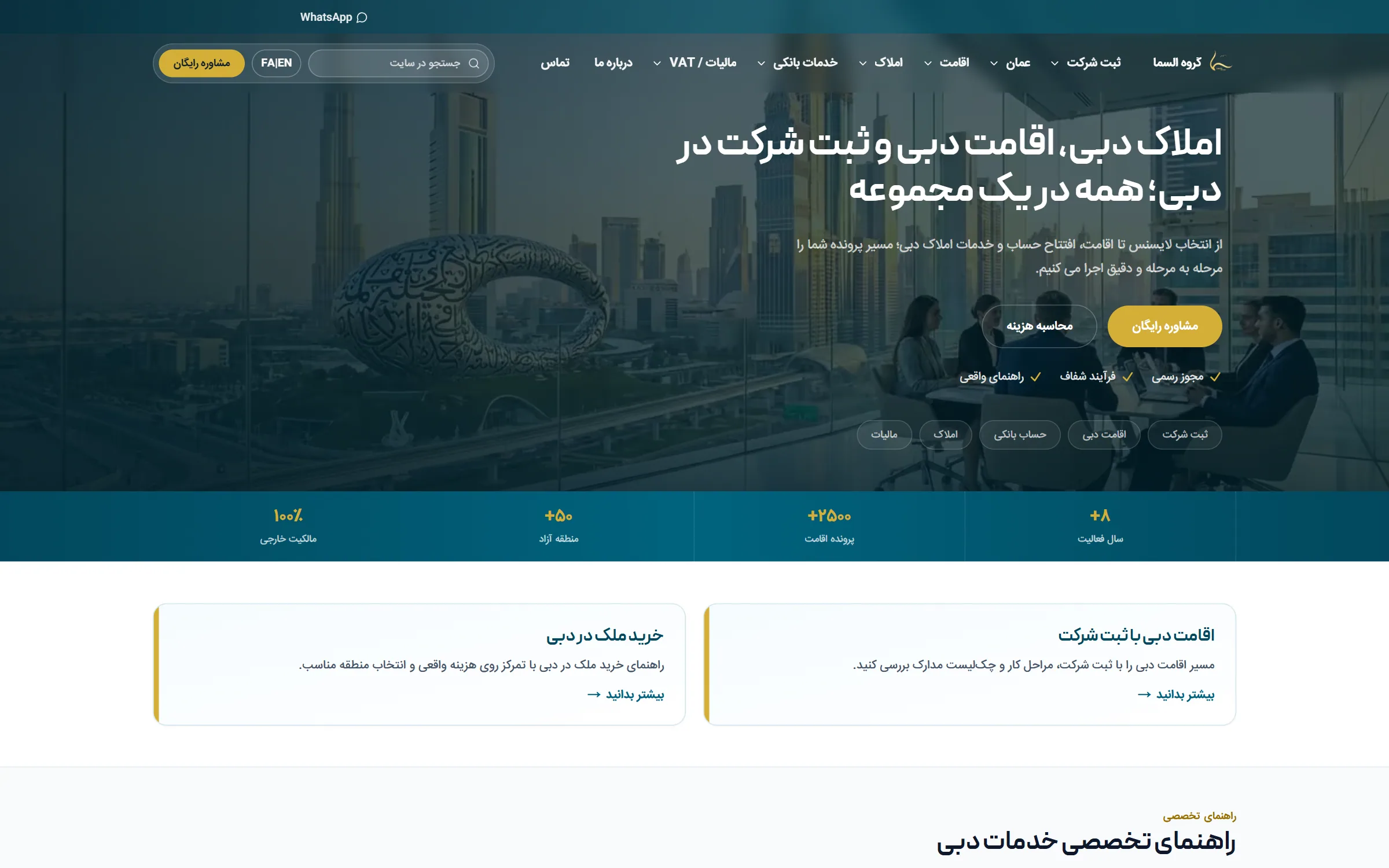
Alsama Group's public website, alsamainvest.com, sets out its company setup, residency, banking, real estate, tax and Oman services in English and in Persian, with a way to ask for a consultation on every page. For its own work the firm runs a dedicated CRM, live on crm.alsamainvest.com since 11 October 2026, where customer files, document renewals, tax deadlines and a sales pipeline for each service sit beside the team's tasks, projects, calendar and chat.
The challenge
Alsama Group helps people in Dubai set up companies, take up residency, open bank accounts, file their taxes and buy property, runs company setup and residency in Oman as well, and sets all of it out for the public on alsamainvest.com, in English and in Persian. Each of those services needs documents from the customer, many of them with an expiry date. The team ran its customer files in a chat-based work management tool, where the expiry date of a licence or an ID card sat in a message as plain text and the reminder to renew it was a task someone had to create by hand. That tool had no sales pipeline and let data out only as a printout. The firm also files VAT and corporate tax returns for its clients, and a late VAT return means a fine for the client, so every VAT customer needed a reminder in every period. The dedicated CRM had to work in Persian first, keep the team's daily work beside its customers, and open to nobody the firm had not approved.
What we did
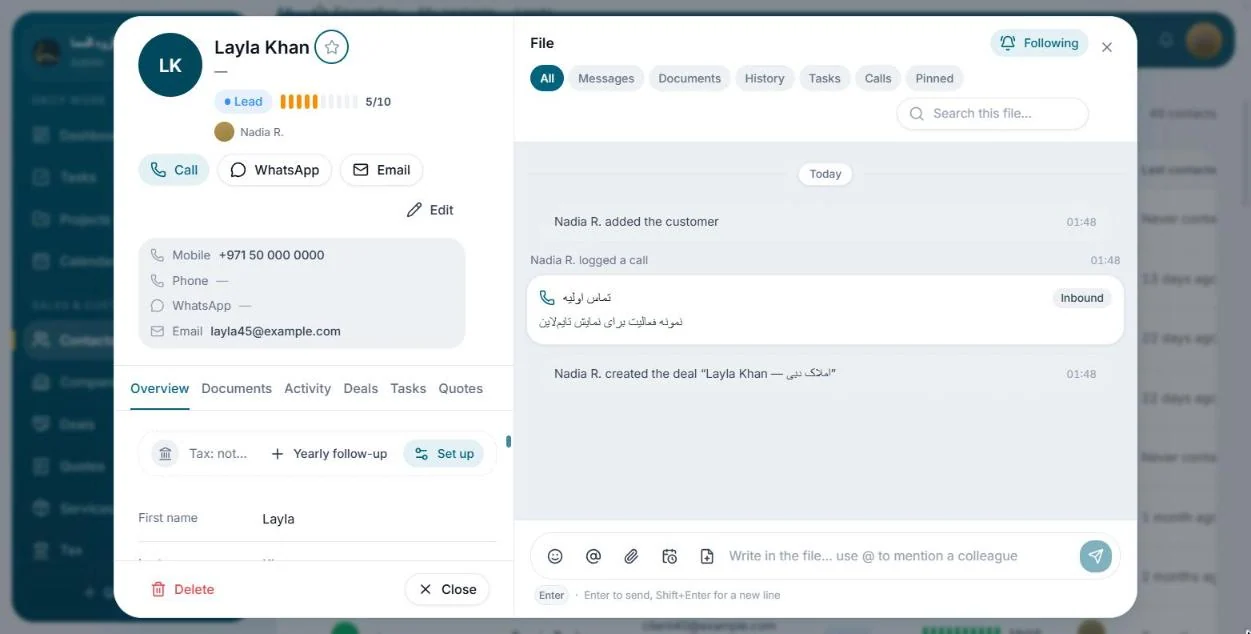
For the CRM we started with research: an audit of the tool the team used, of what its users said about it and of its rivals, written into a specification of what the new system had to keep and what it had to fix. One Next.js application on a Supabase database runs it in the colours of the public website, Persian by default with the Jalali calendar and English beside it, and the database, not the menu, decides what each of five roles may see: all 48 tables carry row level security, and a new account opens nothing until an owner or admin approves it. Each customer's file is one timeline where the team writes, and the database itself adds a line when the customer's details are edited, a deal changes stage or a task changes status, so no user can fake those lines. Documents are filed with their type, number and printed dates, and a scheduler inside the database looks every minute for follow-ups and renewals that are due and turns them into tasks for the person responsible. VAT and corporate tax periods are generated from each customer's VAT period and financial year end, with reminders at three stages before every deadline.
What we built
- A public website in English and Persian, a language switch on every page
- A dedicated CRM on crm.alsamainvest.com since 11 October 2026
- Persian first in the CRM, right to left with Jalali dates
- No CRM access until an owner or admin approves the account
- Expiry dates that turn into renewal tasks on their own
- VAT and corporate tax deadlines, reminded in three stages
The outcome
The CRM went live on crm.alsamainvest.com on 11 October 2026; customer documents, renewals and the VAT and corporate tax module followed on 13 October, and a yearly reminder to update each customer's tax profile and file the annual return was added on 15 October at the team's request. It has 14 screens behind its sign in and 2,119 interface strings in each language. Contacts and companies export as CSV files, and an owner or admin can download the organisation's customers, deals, quotes, tasks, messages and document records as one JSON file. The sign in page asks search engines not to index it, and nothing behind it opens to an account the firm has not approved. The firm meets the public on alsamainvest.com in English and in Persian, and its team works behind the sign in at crm.alsamainvest.com, in the same colours.
The parts of the system
The public website
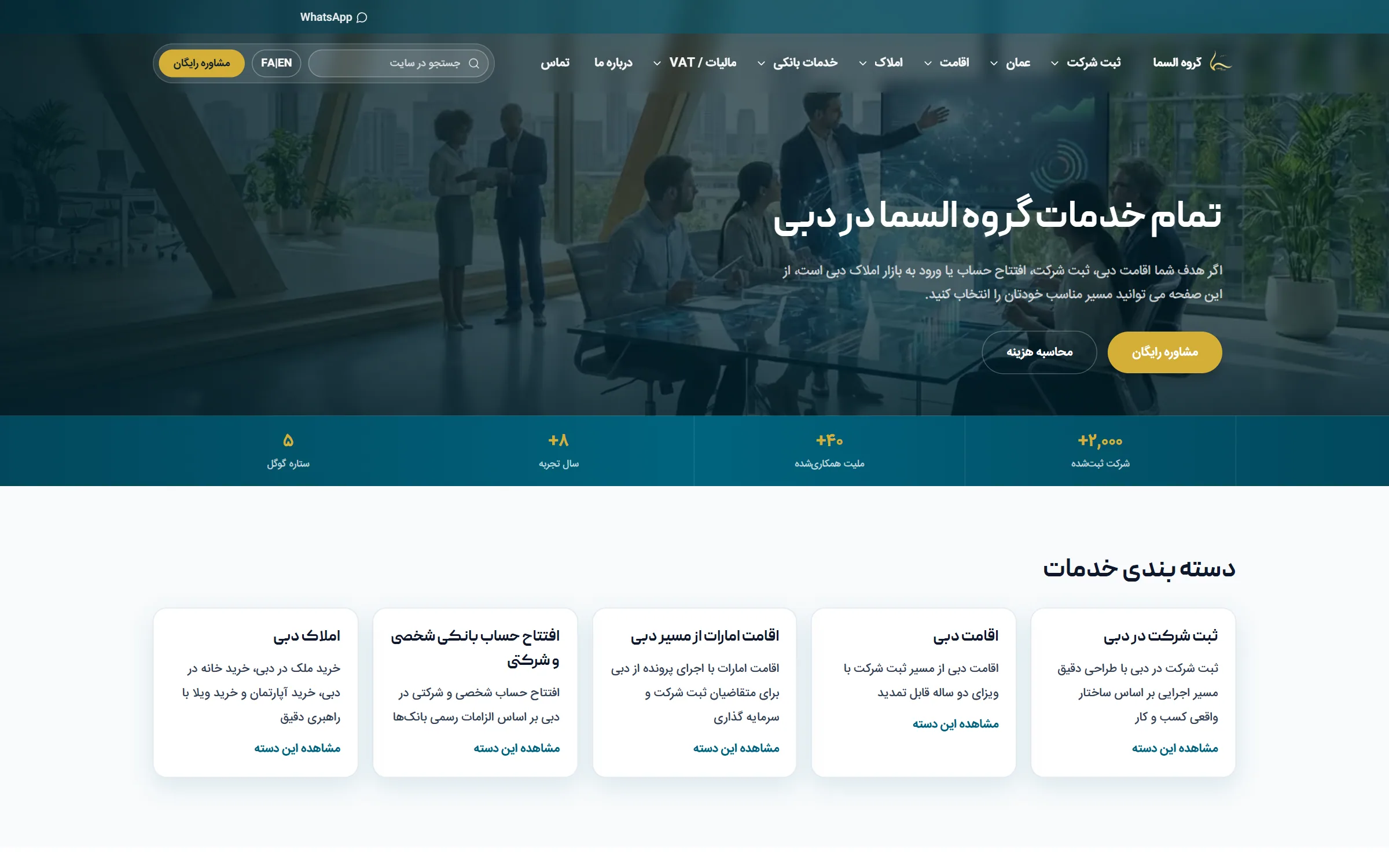
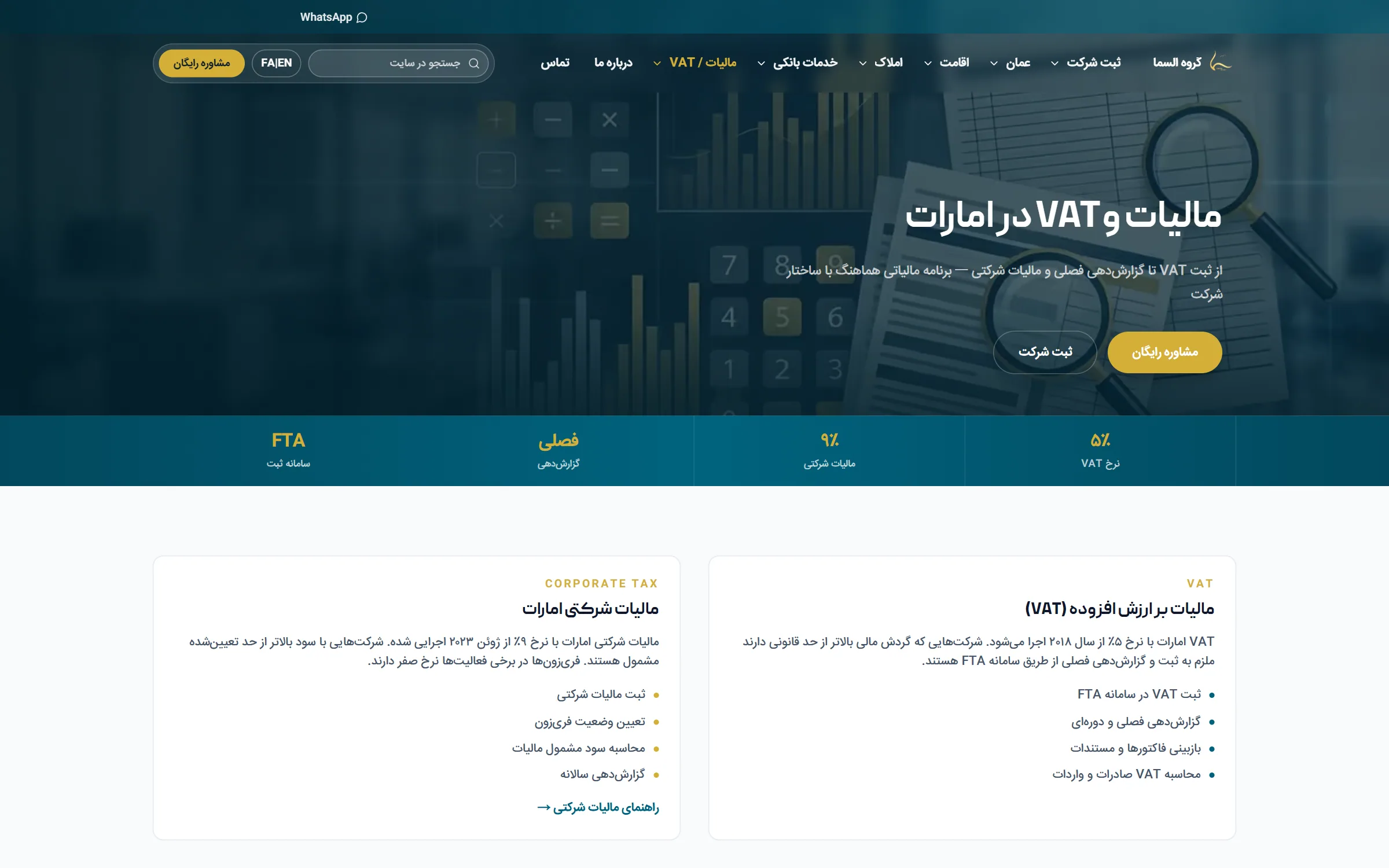
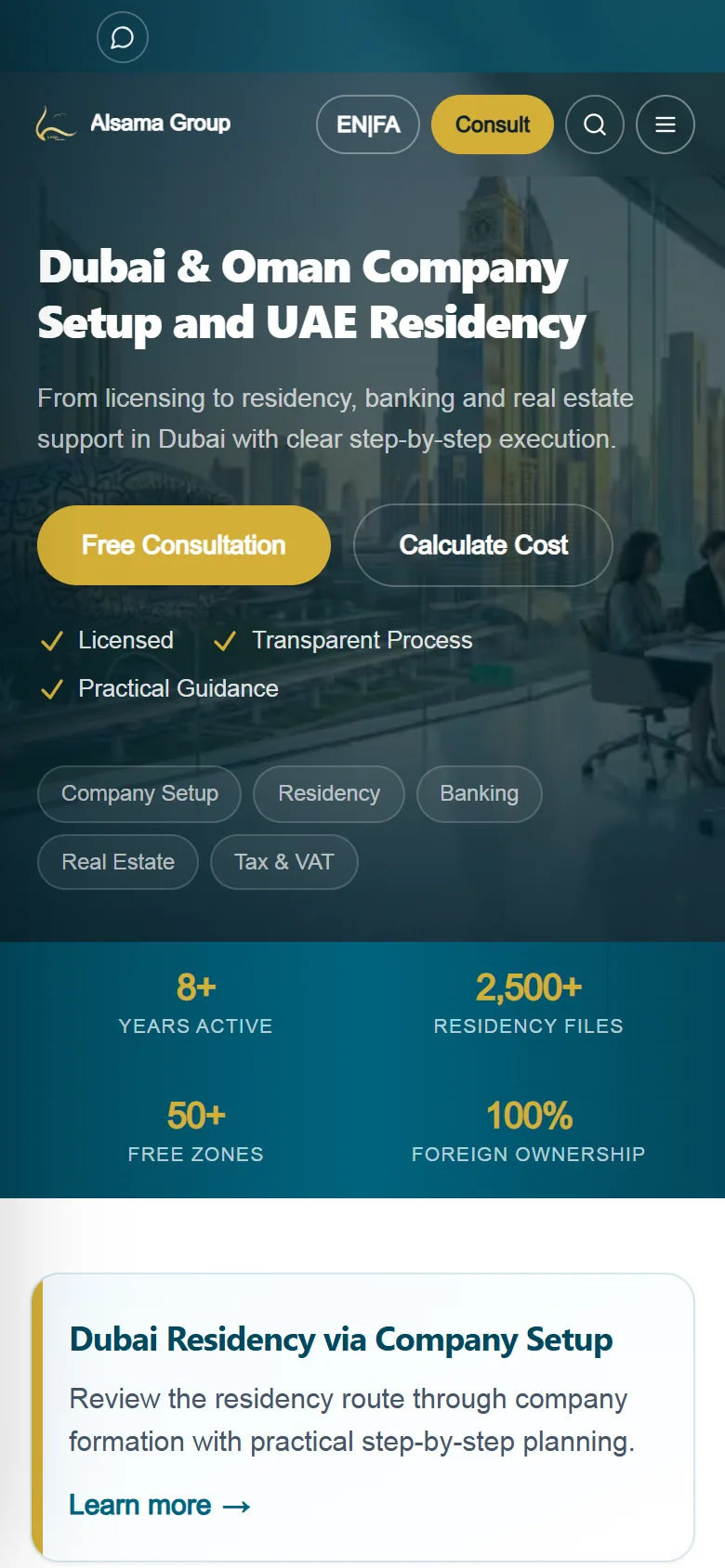
alsamainvest.com is Alsama Group's public website, in English from left to right and in Persian from right to left, with a language switch on every page. Its services fall into five categories, from company formation and Dubai and UAE residency to banking and Dubai real estate, and it adds a guide to UAE tax and VAT and a section on Oman. A visitor can search the site in either language, filter featured Dubai properties by type and area, read cost and time estimates for the core services and ask for a consultation by form or on WhatsApp, and the Persian articles are dated in the Jalali calendar. Out of public view, the firm's team works in a dedicated CRM of its own, shown below.
The dedicated CRM: customers, documents, sales and tax
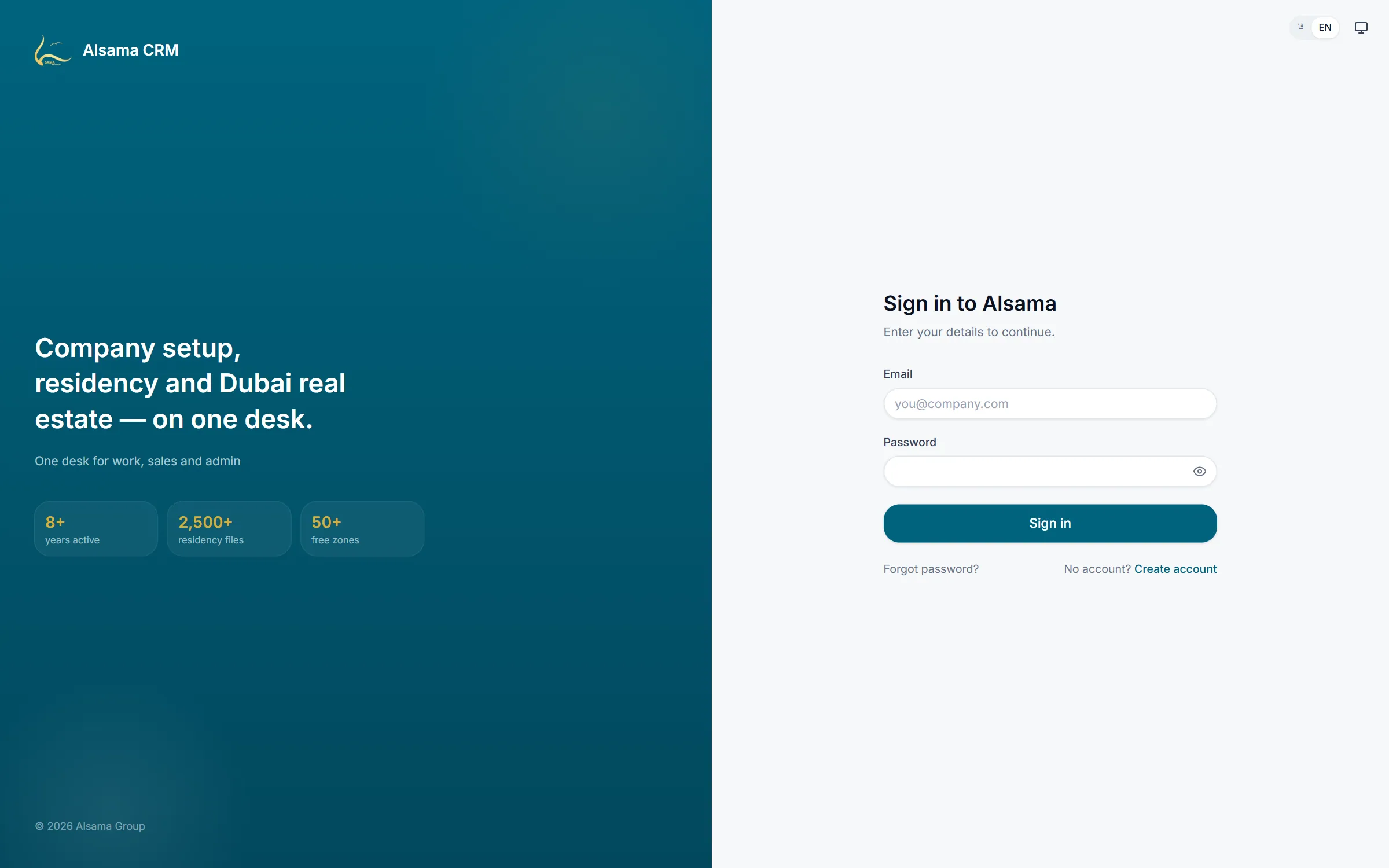
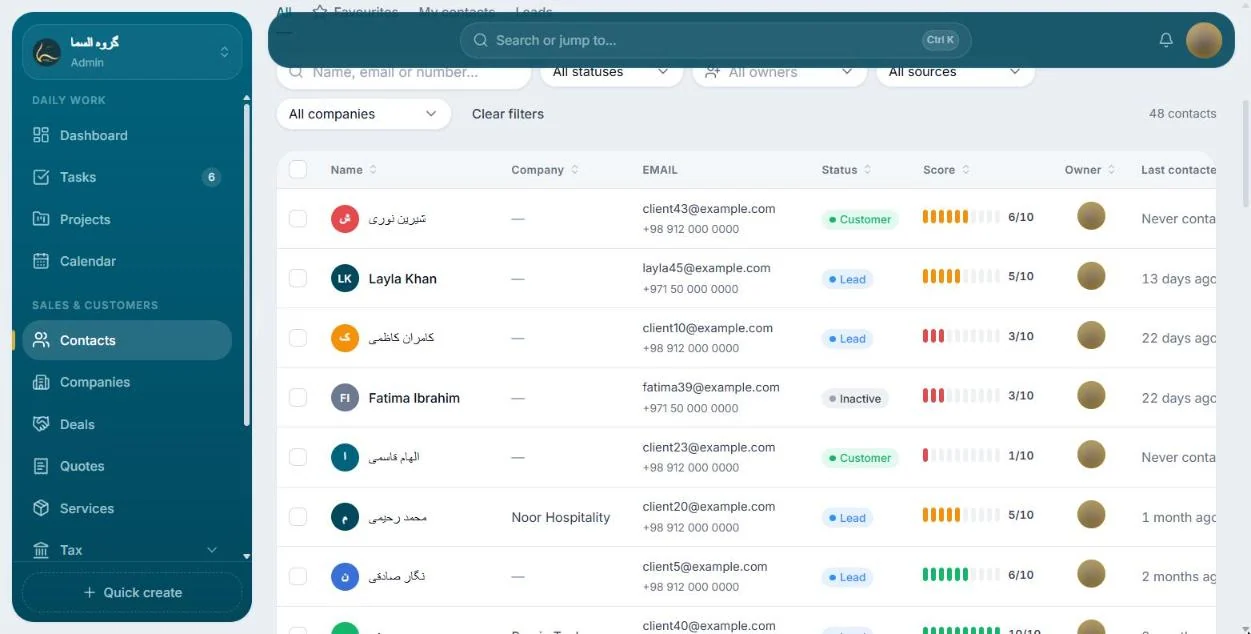
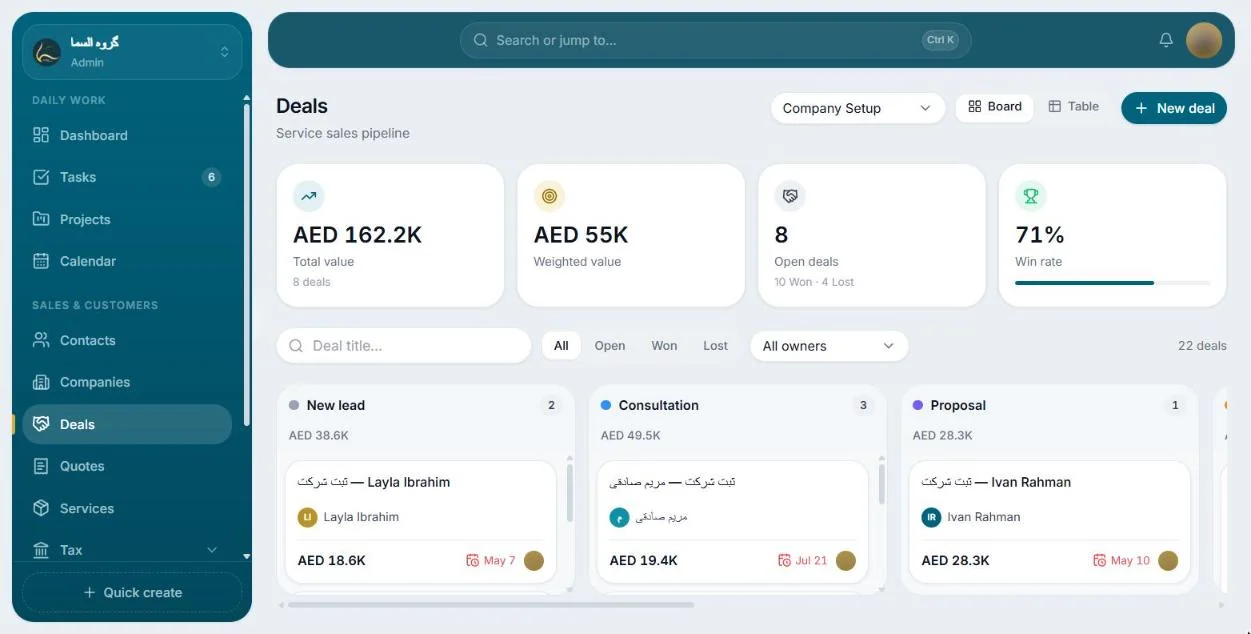
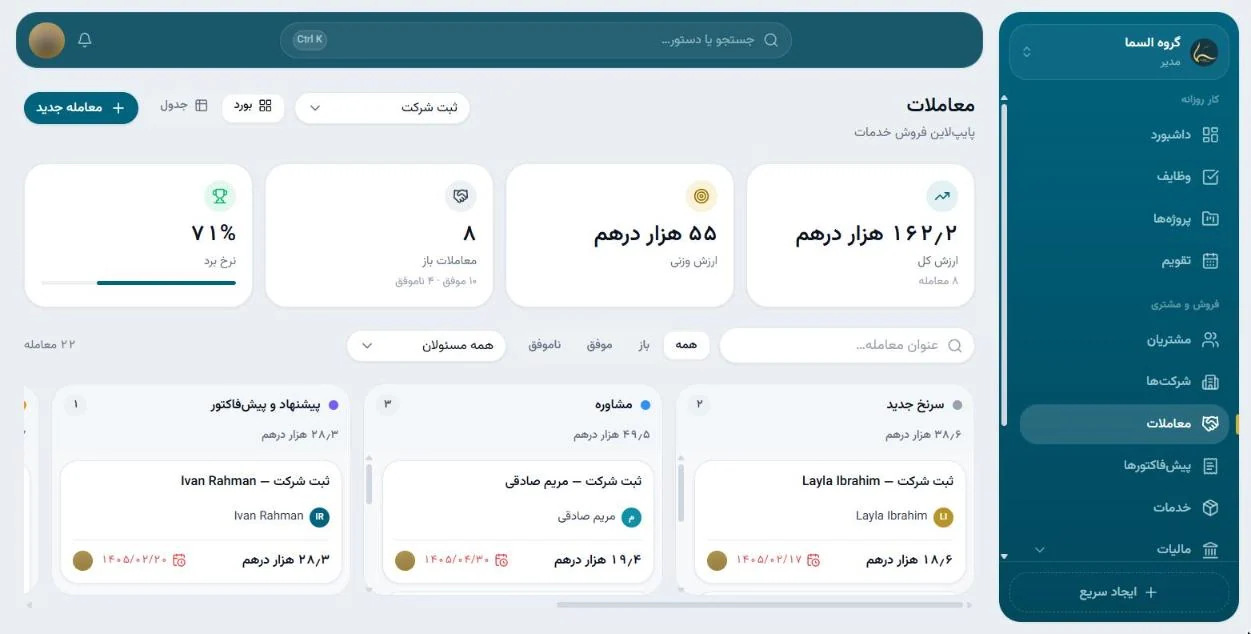
Alsama Group runs its own dedicated CRM, built for the firm, at crm.alsamainvest.com, in Persian and English. This half of it is about the firm's customers: a customer's card sits beside the file's timeline, a spouse's and children's papers are kept in the same family file, and each deal lists the documents its services need and which are already in. Each service line, from company setup to tax, has its own sales pipeline, quotes print straight from the browser, and the tax screen lays out VAT and corporate tax returns by the month they fall due. The sign in page in the first picture is the CRM's public face. Everything behind it was photographed with the CRM's own sample data loaded, so no name or figure in those pictures belongs to a real customer. The last picture shows the same deals board in Persian, right to left, as every screen also runs.
Tasks, projects, calendar, chat and reports
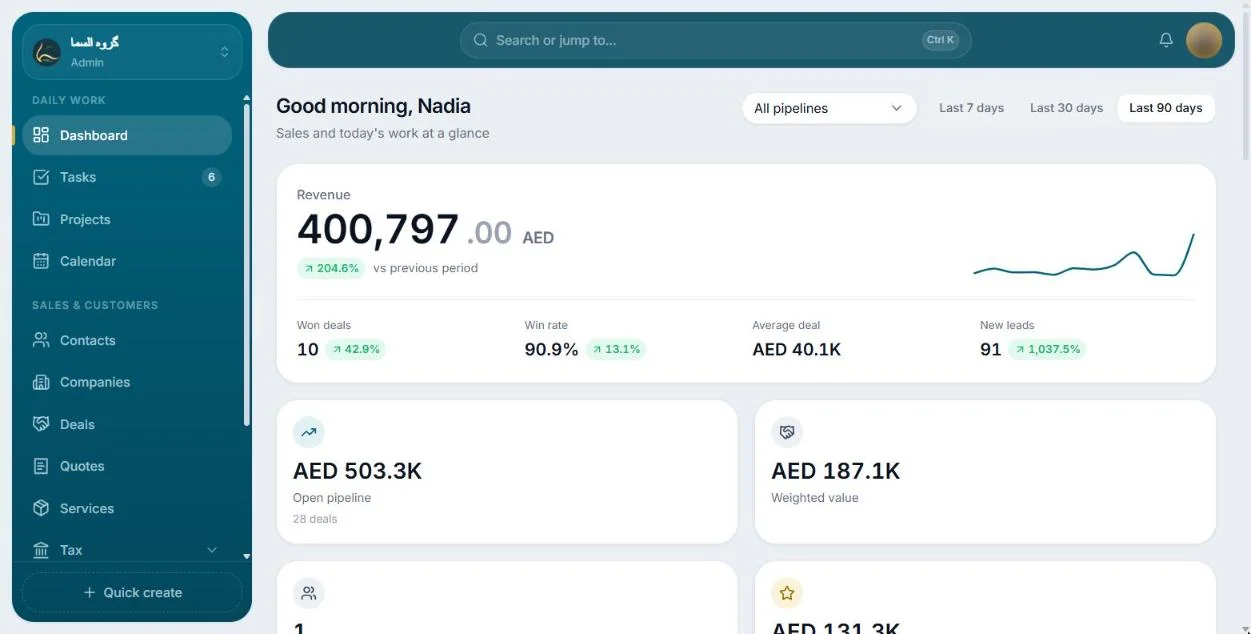
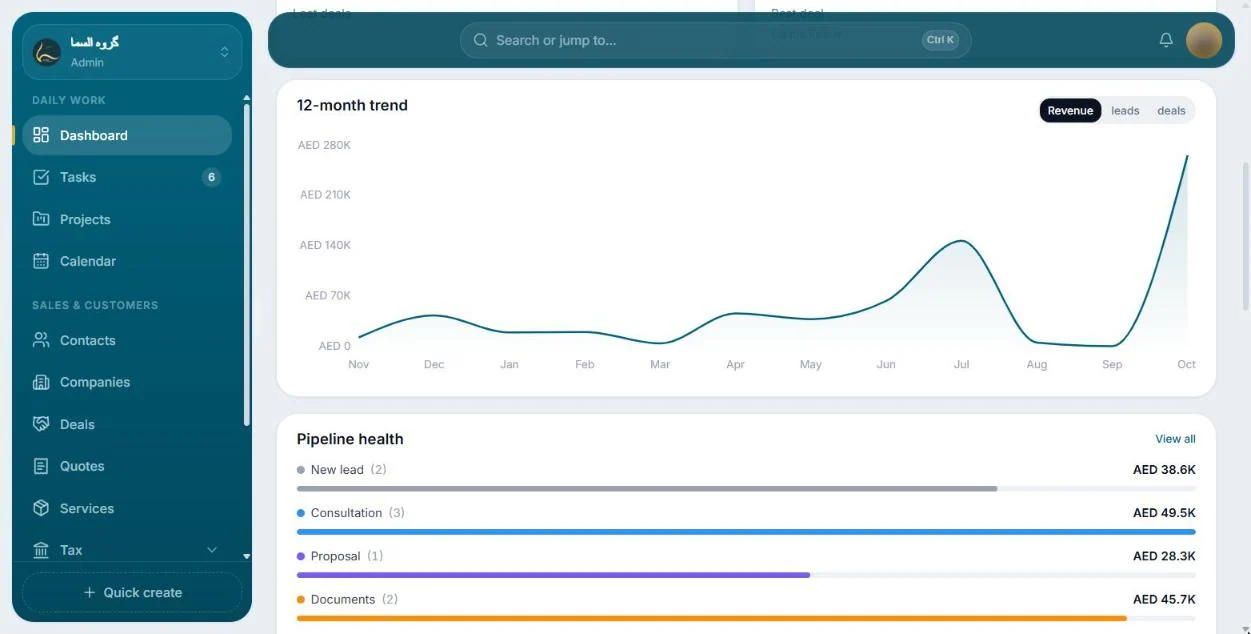
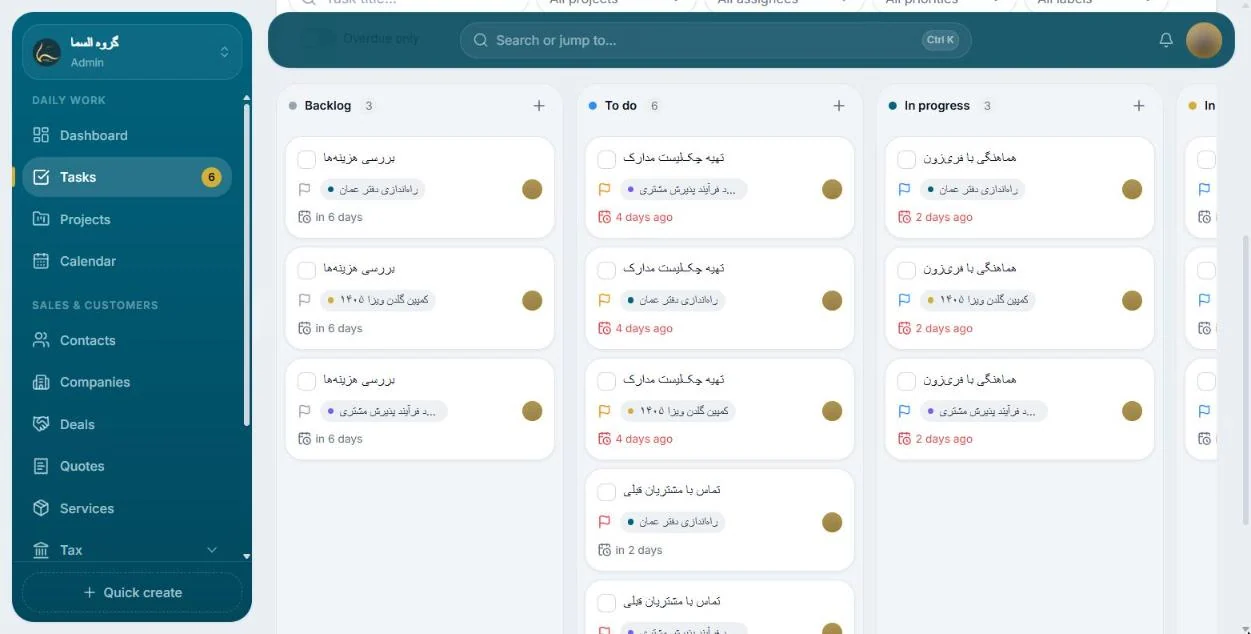
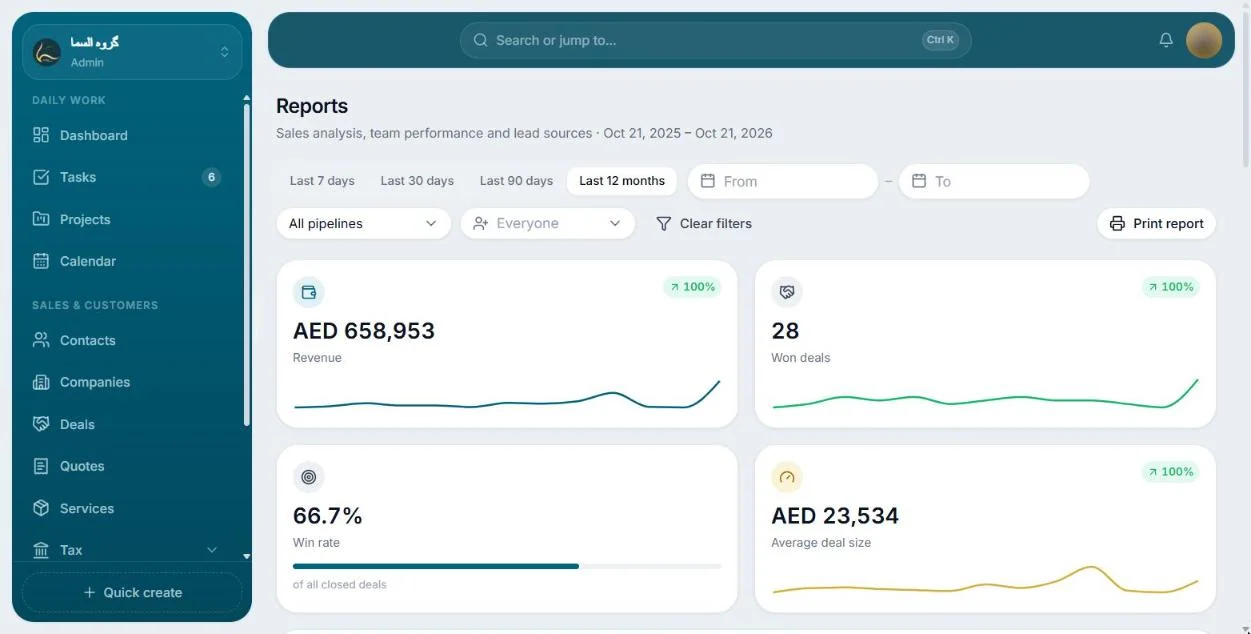
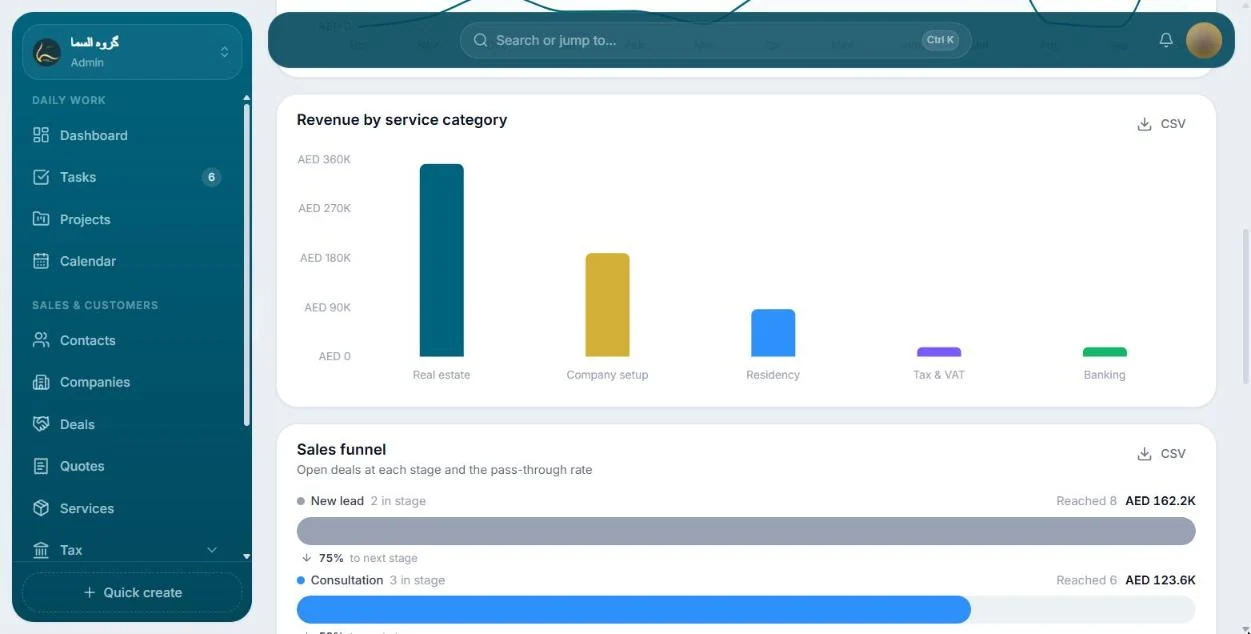
The other half of the CRM, the one the team works in every day. Tasks run as a list or a board and show on the calendar, with subtasks, checklists, an approver and reminders that fire on time, and projects gather longer work. Chat carries channels and direct messages, where a new message appears the moment it is sent; any message can become a task, and the calendar switches between Jalali and Gregorian dates. Managers and admins get reports on the sales funnel, the team and the sources of leads, and each report exports as a CSV file. The pictures below show the same sample data.
Have something similar in mind?
Send us the brief. We'll tell you honestly whether we're the right studio for it.
No pitch decks until we understand the problem.
hello@4ai.ae